Illustrative research workflow
Explore now
Check cerebellar continuity across sections
How does the CUL4/5 28 CB GABA selection appear in adjacent sections .13 and .14?
Scientific context
The capture shows 1,494 matching cells in section .13 and 3,000 in .14 after applying CUL4/5 and 28 CB GABA.
Each view is explicitly tied to its source section, so a reviewer can decide which observation deserves a source-data follow-up.
A careful workflow
- Set Display limit to 100,000 through the Explorer UI.
- Apply the recorded source filters and review displayed versus matching counts.
- Inspect provenance before export or downstream interpretation.
Live Explorer walkthrough
What the current app shows
These are browser captures of the public Allen MERFISH release in NeuroViz. Open this captured cohort in Explorer.
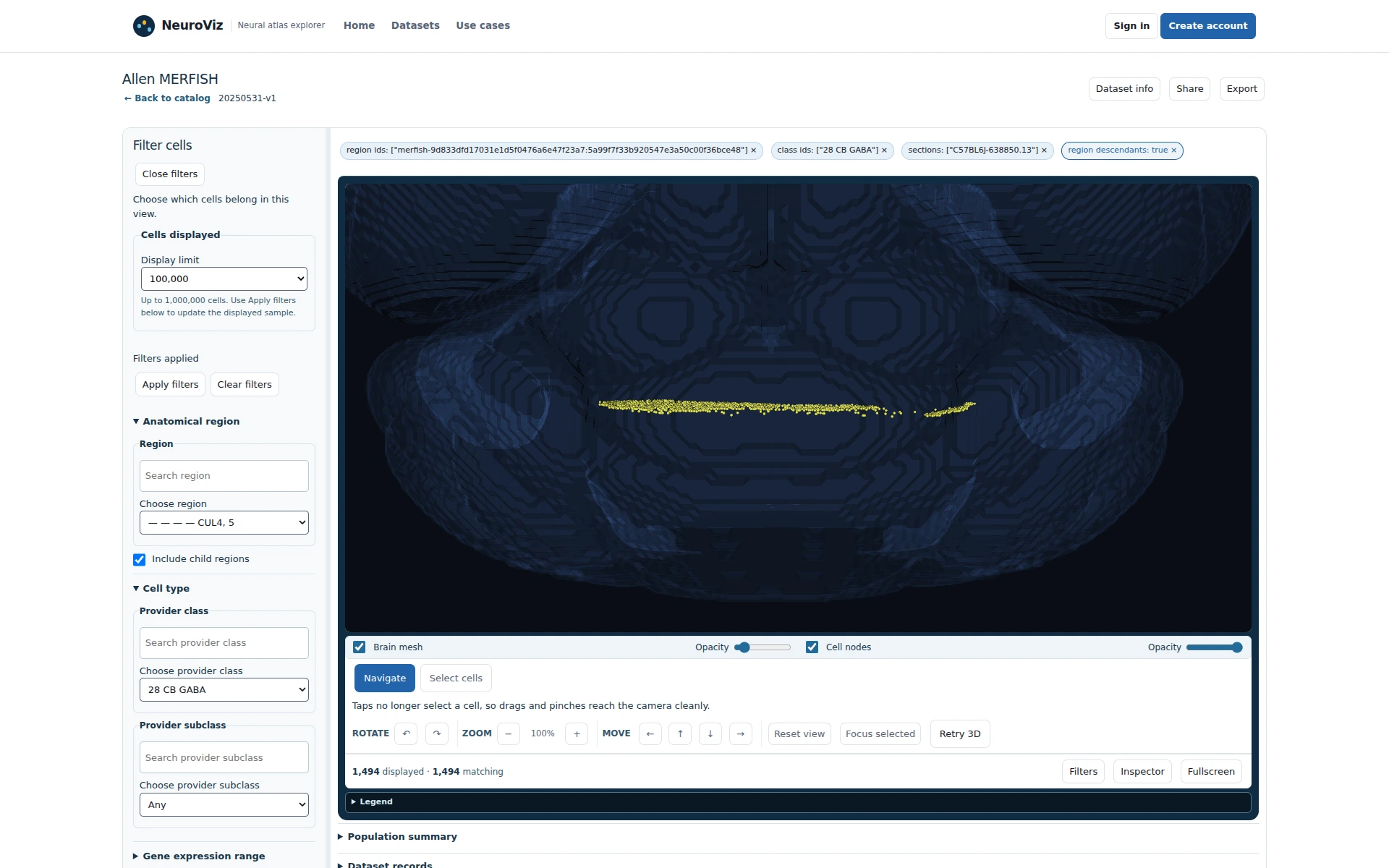
Figure 1Capture section .13 at 100,000. 1,494 matching cells establish the first view.
CUL4/5 28 CB GABA in source section .13. Click to enlarge.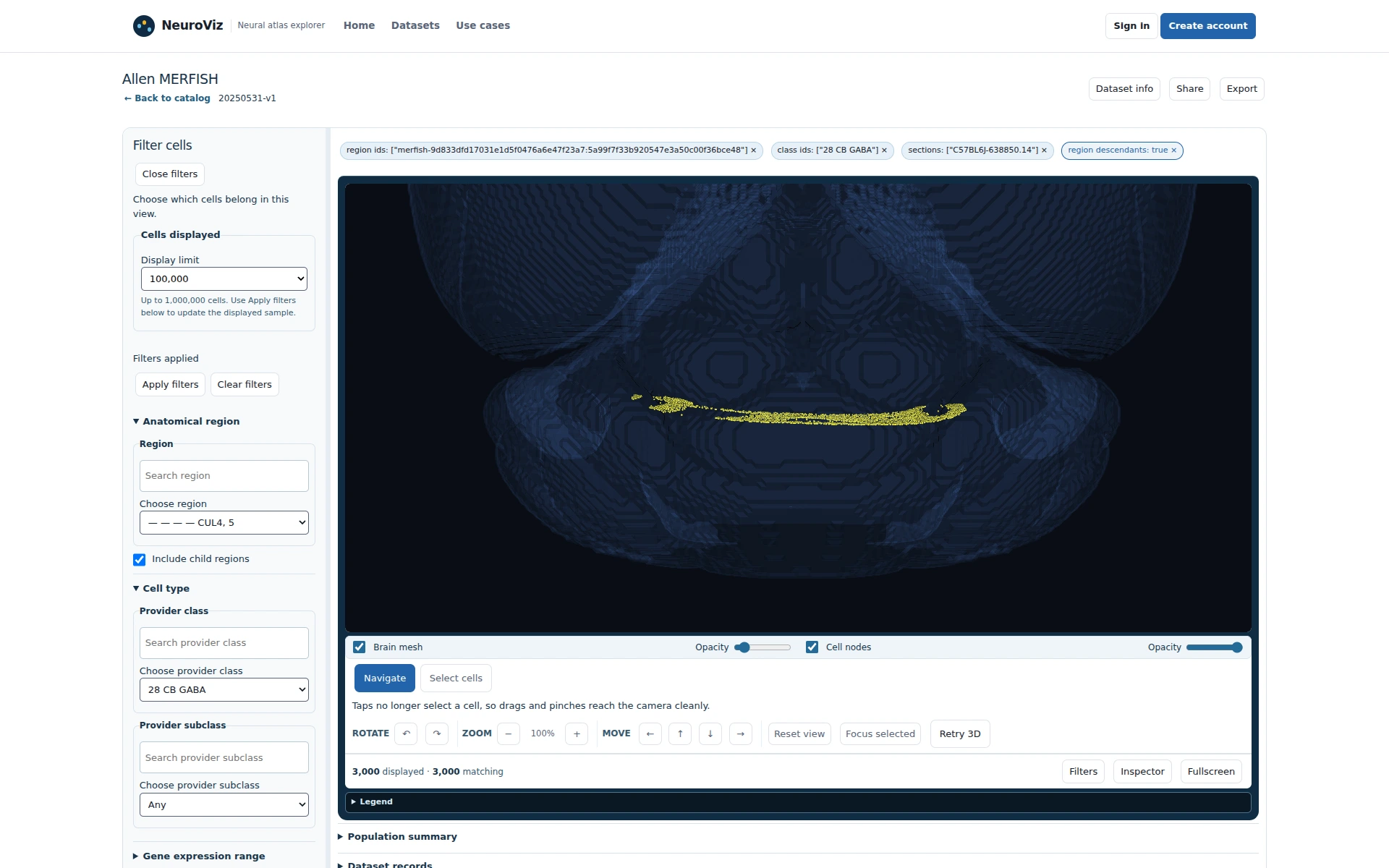
Figure 2Switch to section .14. 3,000 matching cells provide the adjacent view.
The separately recorded adjacent .14 view. Click to enlarge.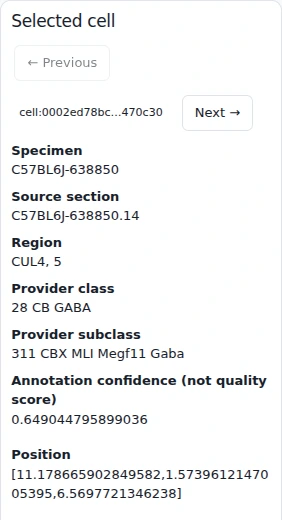
Figure 3Inspect a .14 record. Its source section and taxonomy remain available.
A .14 record bounds a producer follow-up without manufacturing a defect. Click to enlarge.
Scope
These captures describe the public release and support cohort definition and record review; quantitative validation remains a downstream analysis step.
Useful deliverable
An adjacent-section comparison note with stable source identifiers.
Current capability and extensions
Explorer exposes the section selector and selected-cell metadata.
Meaningful pilot success criteria
A reviewer can replay the two views and prepare a concrete producer question.