Illustrative research workflow
Explore now
Examine Calb1-positive cells in CA1
What does the CA1-ProS Glut / Calb1 cohort look like in the current CA1 selection?
Scientific context
CA1, 016 CA1-ProS Glut, and measured Calb1 produce 19,924 matching and displayed cells in this capture.
The oblique image shows the selected population against a low-opacity atlas; the inspector retains source and expression evidence.
A careful workflow
- Set Display limit to 100,000 through the Explorer UI.
- Apply the recorded source filters and review displayed versus matching counts.
- Inspect provenance before export or downstream interpretation.
Live Explorer walkthrough
What the current app shows
These are browser captures of the public Allen MERFISH release in NeuroViz. Open this captured cohort in Explorer.
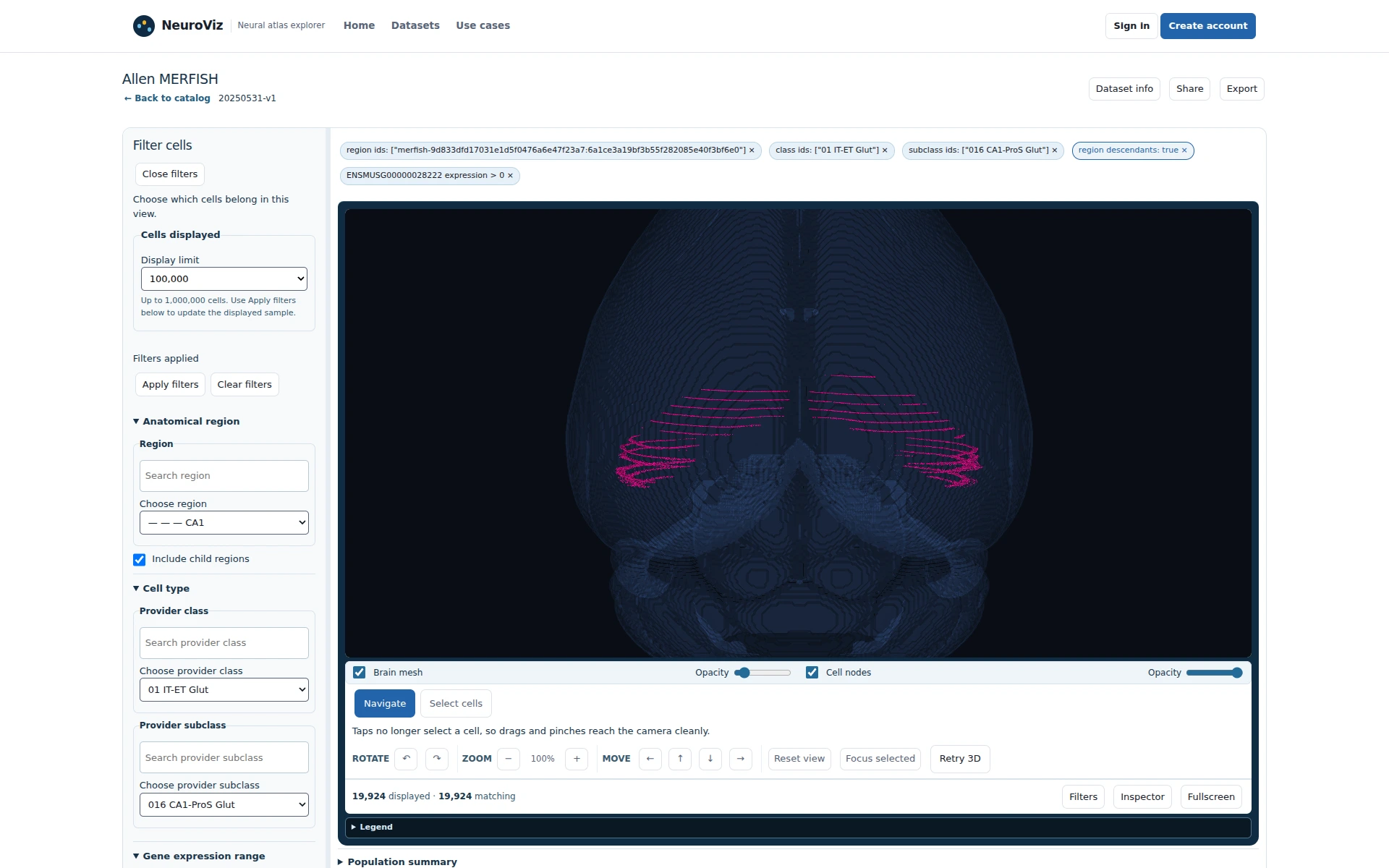
Figure 1Apply CA1, CA1-ProS Glut, and measured Calb1 at 100,000. 19,924 cells are displayed and matching.
CA1, CA1-ProS Glut, and measured Calb1 define a descriptive review set. Click to enlarge.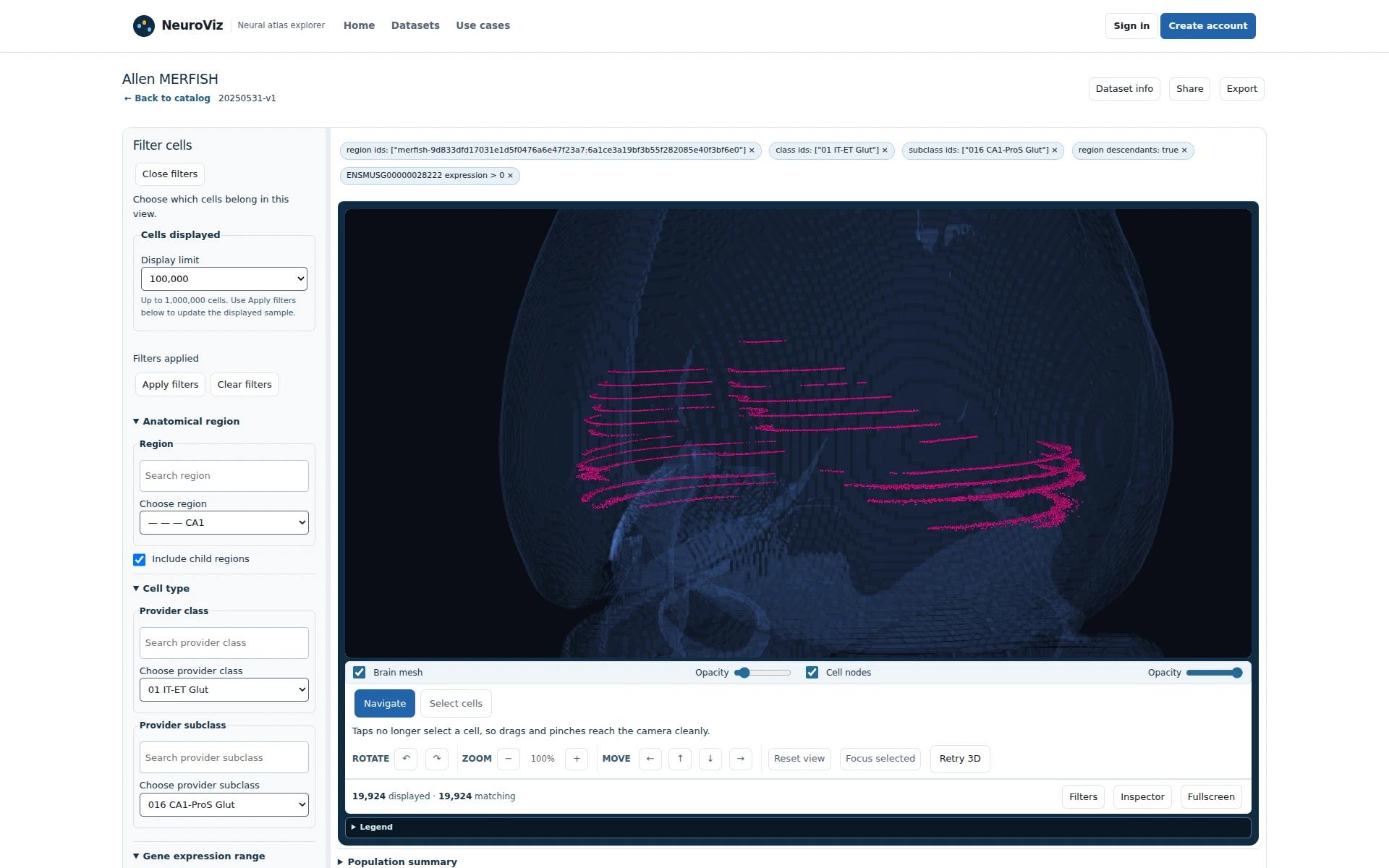
Figure 2Use the oblique view to inspect spatial arrangement. The cohort remains visible against anatomical context.
A close oblique view retains the applied review selection. Click to enlarge.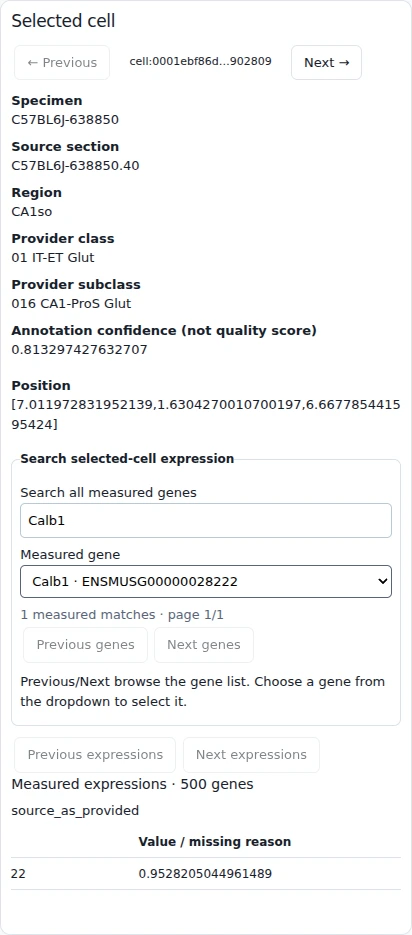
Figure 3Open a representative inspector. The source section and Calb1 value are retained.
The selected record supplies evidence; it does not change a label. Click to enlarge.
Scope
These captures describe the public release and support cohort definition and record review; quantitative validation remains a downstream analysis step.
Useful deliverable
A shareable CA1 review set and record-level evidence.
Current capability and extensions
Explorer makes the cohort and its metadata reviewable.
Meaningful pilot success criteria
A curator can record observations and choose candidates for follow-up.